一、引言
在 Java 应用开发领域,Spring Boot 无疑是当前的主流框架。然而,当应用进入高并发、大数据量的场景时,传统的日志框架和消息中间件往往会暴露性能短板,例如高延迟、显著的GC开销以及数据丢失风险。有没有一种方案,既能保持高性能,又能确保数据可靠,还无需引入复杂的中间件集群?Chronicle Queue 正是为此而生的利器。本文将深入解析 Chronicle Queue 的核心特性与适用场景,并手把手演示如何在 Spring Boot 项目中集成这一高性能的本地持久化队列。
二、核心解析:Chronicle Queue是什么?能解决什么问题?
(一)Chronicle Queue核心定义
Chronicle Queue 是由 OpenHFT 公司开源的一款高性能、低延迟、持久化的消息队列。其核心设计基于内存映射文件和只追加数据结构,专为金融交易、物联网等对性能和可靠性要求极高的领域而生。
核心特性
- 超低延迟:利用内存映射文件技术,数据读写性能无限接近内存操作,适合对延迟极其敏感的场景。
- 持久化:数据实际存储在磁盘上,即使进程终止或系统重启,消息也不会丢失。
- 无锁设计:采用无锁并发机制,避免了多线程竞争带来的性能损耗,支持极高的吞吐量。
- 时序日志:所有消息严格按照写入时间顺序存储,天然支持时间回溯和数据重放。
- 文件轮换:支持按时间或文件大小进行日志轮换,便于历史数据的管理与归档。
(二)解决的核心问题
传统日志或消息组件在高并发场景下常常力不从心,而这些问题正是 Chronicle Queue 的攻克目标:
- 高延迟与低吞吐问题:传统方案因频繁的磁盘 I/O 和锁竞争导致性能瓶颈。Chronicle Queue 通过内存映射绕开操作系统级 I/O,配合无锁设计,可实现单机每秒数十万至数百万的消息吞吐,延迟低至亚微秒级。
- GC 开销与内存限制:基于 JVM 的传统组件容易因对象频繁创建/销毁引发垃圾回收,且受堆内存大小限制。Chronicle Queue 自主管理堆外内存,几乎不产生 GC 压力,存储容量仅受磁盘空间限制,可处理 PB 级数据流。
- 数据可靠性担忧:内存队列或配置不当的持久化队列在系统崩溃时可能丢失数据。Chronicle Queue 采用只追加写入并实时刷盘,确保了每条消息的持久性,同时还提供了消息重放、随机读取等灵活的数据访问语义。
- 服务间耦合度高:同步 RPC 调用使得服务链路形成强依赖。引入 Chronicle Queue 作为异步消息通道,能有效解耦服务,提升系统整体的容错性和可扩展性。
三、Spring Boot集成Chronicle Queue示例
(一)添加核心依赖
在项目的 pom.xml 文件中,添加以下依赖。建议使用经过验证的稳定版本,例如 5.27ea0。
<dependency>
    <groupId>net.openhft</groupId>
    <artifactId>chronicle-queue</artifactId>
    <version>5.27ea0</version>
</dependency>
(二)配置Chronicle Queue
在 resources/application.yml 配置文件中,定义队列的存储路径和编码方式等参数。
chronicle:
  queue:
    path: data/chronicle-queue # 队列数据存储路径
    wireType: BINARY # 编码方式:BINARY性能最优;TEXT易于阅读
(三)编写核心代码:消息读写实现
我们将代码分为服务层和控制器层,结构清晰,易于维护。
1. 队列操作服务类(ChronicleQueueService)
在服务类中封装队列的核心操作,并通过 @Service 注解将其纳入 Spring 容器管理。
import net.openhft.chronicle.queue.ChronicleQueue;
import net.openhft.chronicle.queue.ExcerptAppender;
import net.openhft.chronicle.queue.ExcerptTailer;
import net.openhft.chronicle.wire.WireType;
import org.springframework.beans.factory.annotation.Value;
import org.springframework.stereotype.Service;

@Service
public class ChronicleQueueService {

    private final ChronicleQueue queue;

    // 通过构造器注入配置参数,避免硬编码
    public ChronicleQueueService(
            @Value("${chronicle.queue.path}") String queuePath,
            @Value("${chronicle.queue.wireType}") String wireType) {
        // 根据配置构建ChronicleQueue实例
        this.queue = ChronicleQueue.singleBuilder(queuePath)
                .wireType(WireType.valueOf(wireType))
                .build();
    }

    // 写入消息
    public void writeMessage(String message) {
        // 使用try-with-resources确保Appender正确关闭
        try (ExcerptAppender appender = queue.createAppender()) {
            appender.writeText(message);
        }
    }

    // 顺序读取消息
    public String readMessage() {
        try (ExcerptTailer tailer = queue.createTailer()) {
            return tailer.readText();
        }
    }

    // (可选)根据索引定点读取,用于消息重放等场景
    public String readMessageByIndex(long index) {
        try (ExcerptTailer tailer = queue.createTailer()) {
            tailer.moveToIndex(index);
            return tailer.readText();
        }
    }
}
2. 测试控制器类(ChronicleQueueController)
创建 RESTful 接口,方便通过 HTTP 请求测试消息的写入和读取功能。
import org.springframework.beans.factory.annotation.Autowired;
import org.springframework.web.bind.annotation.GetMapping;
import org.springframework.web.bind.annotation.RequestParam;
import org.springframework.web.bind.annotation.RestController;

@RestController
public class ChronicleQueueController {

    private final ChronicleQueueService queueService;

    @Autowired
    public ChronicleQueueController(ChronicleQueueService queueService) {
        this.queueService = queueService;
    }

    // 写入消息接口:http://localhost:8080/write?message=测试消息
    @GetMapping("/write")
    public String writeMessage(@RequestParam String message) {
        queueService.writeMessage(message);
        return "消息写入成功:" + message;
    }

    // 读取消息接口:http://localhost:8080/read
    @GetMapping("/read")
    public String readMessage() {
        String message = queueService.readMessage();
        return message == null ? "队列无消息" : "读取到消息:" + message;
    }

    // (可选)定点读取接口:http://localhost:8080/readByIndex?index=0
    @GetMapping("/readByIndex")
    public String readByIndex(@RequestParam long index) {
        String message = queueService.readMessageByIndex(index);
        return message == null ? "指定索引无消息" : "索引" + index + "对应的消息:" + message;
    }
}
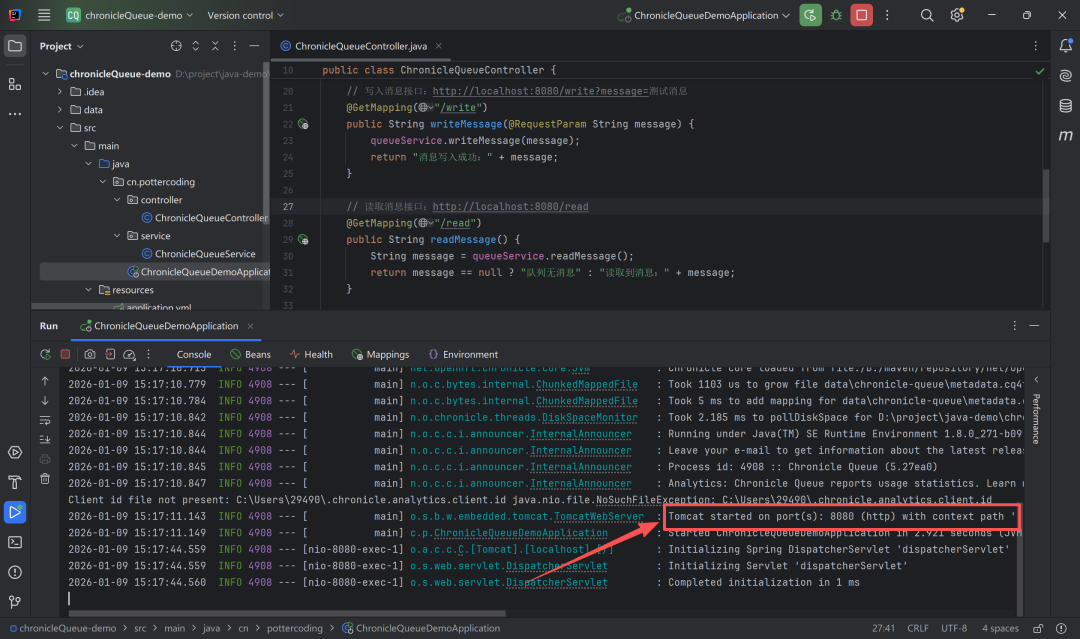
(四)测试验证
-
启动应用:运行 Spring Boot 应用,确保 8080 端口可用。
-
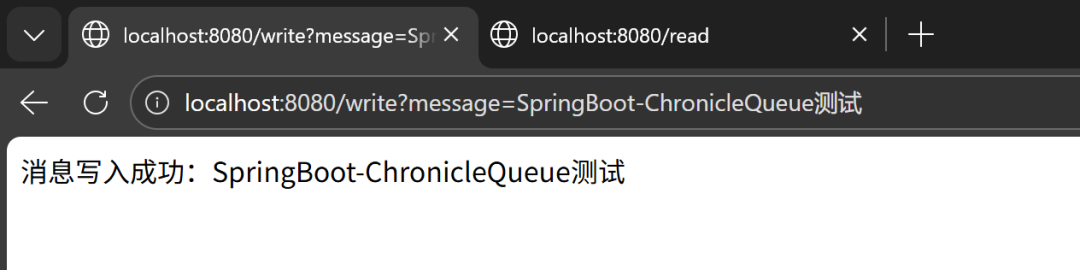
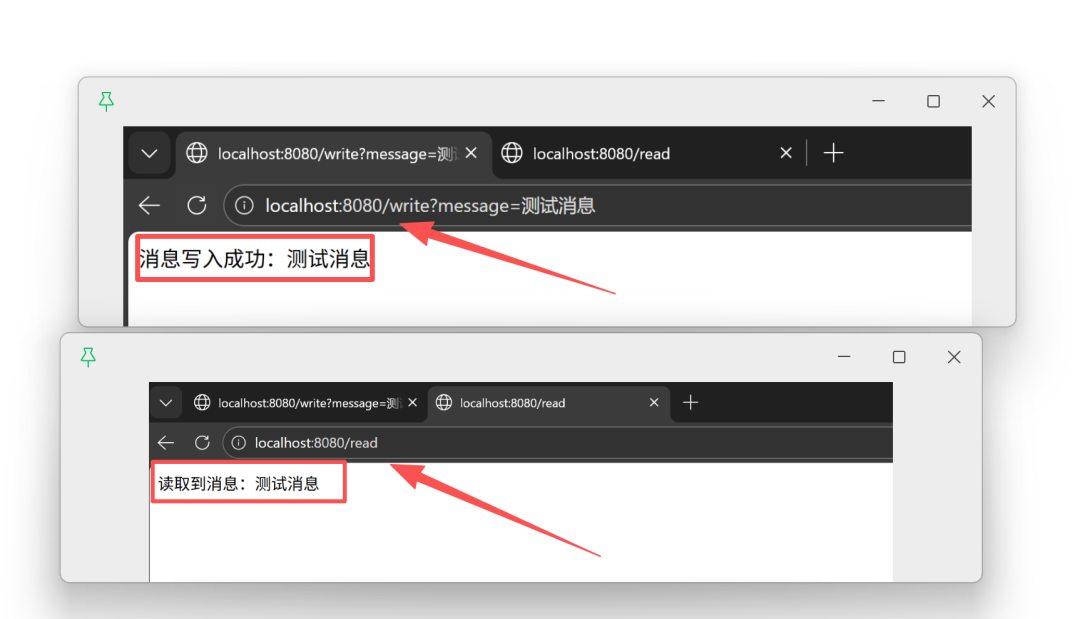
写入消息:在浏览器中访问 http://localhost:8080/write?message=SpringBoot-ChronicleQueue测试,页面将返回“消息写入成功”的提示。
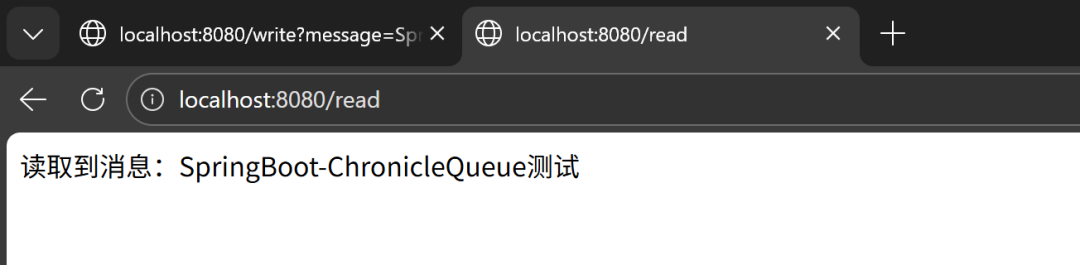
- 读取消息:
- 访问
http://localhost:8080/read,即可读取到刚刚写入的消息。
- 也可以通过
http://localhost:8080/readByIndex?index=0(消息索引从0开始)进行定点读取。
四、总结
Chronicle Queue 通过其内存映射、无锁并发和持久化到磁盘的巧妙设计,精准命中了高并发场景下传统 消息队列 方案的性能与可靠性痛点。它为需要在单机或简单架构下实现超高性能日志记录、事件溯源或消息传递的 Java 应用提供了一个极其优秀的解决方案。
将 Chronicle Queue 与 Spring Boot 集成并不复杂,但其带来的性能提升是显著的。无论是作为高性能应用日志的落地方案,还是作为服务间解耦的通信桥梁,它都值得你深入探索。如果你在微服务或分布式架构中寻找更复杂的消息治理方案,也可以关注 云栈社区 内关于 Kafka、RocketMQ 等分布式消息中间件的深度讨论。
 发表于 2026-1-13 05:57:55
|
查看: 553|
回复: 0
发表于 2026-1-13 05:57:55
|
查看: 553|
回复: 0

