1. CodeGraph 是什么?
CodeGraph 是一个开源工具,思路特别直接:与其让 AI 每次都从零摸索代码库结构,不如提前把整个代码库索引成一张本地知识图谱,让 AI 直接查。
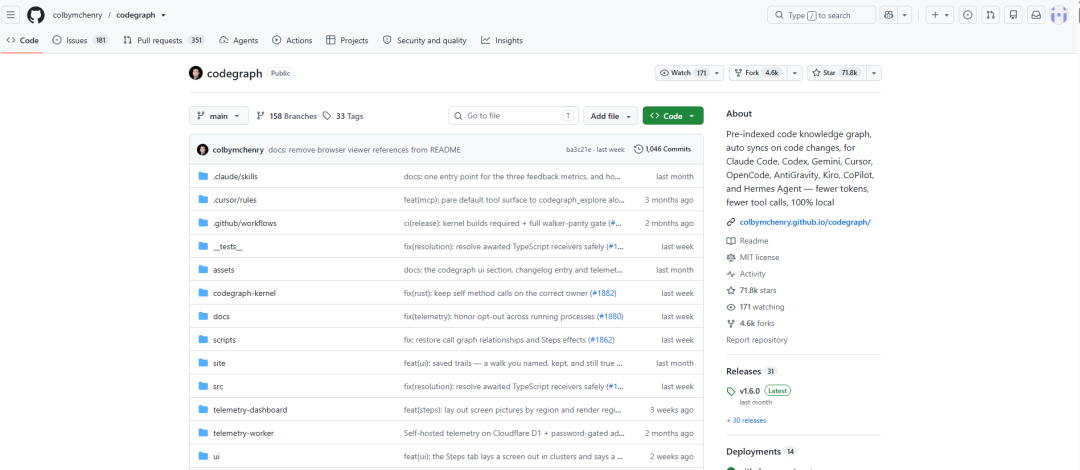
github.com/colbymchenry/codegraph
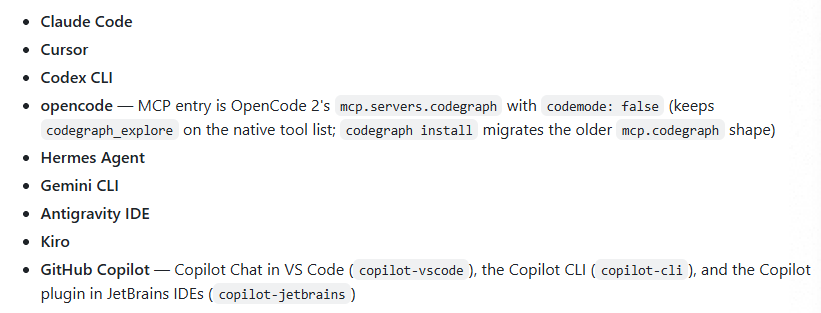
支持的 Agents:
它用 Tree-Sitter 把源码解析成语法树,提取出:
- 函数、类、变量等符号
- 调用关系(谁调用谁、调用链路)
- 依赖关系(模块间、文件间)
- 甚至还有文档节点(README 里提到的符号会被关联进图谱)
所有这些数据都存进本地的一个 SQLite 数据库,通过 MCP(Model Context Protocol)服务器暴露给 AI 编程工具。
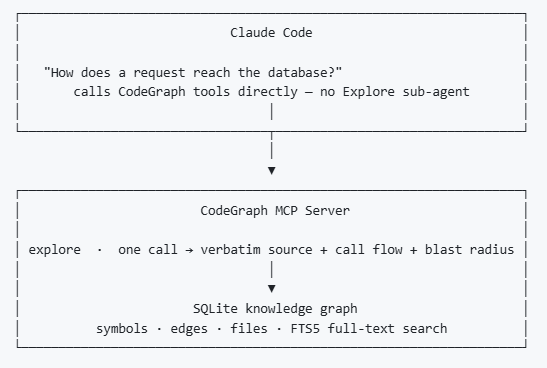
AI 想知道这个函数被谁调用了,一次查询就能拿到完整调用链,而不是 grep 半天。
2. 实操
2.1 安装 CLI
# macOS / Linux
curl -fsSL https://raw.githubusercontent.com/colbymchenry/codegraph/main/install.sh | sh

# Windows (PowerShell)
irm https://raw.githubusercontent.com/colbymchenry/codegraph/main/install.ps1 | iex
如果已经安装 Node.js,也可以直接输入如下指令安装:
npm i -g @colbymchenry/codegraph
2.2 配置 CodeGraph 到 Agents
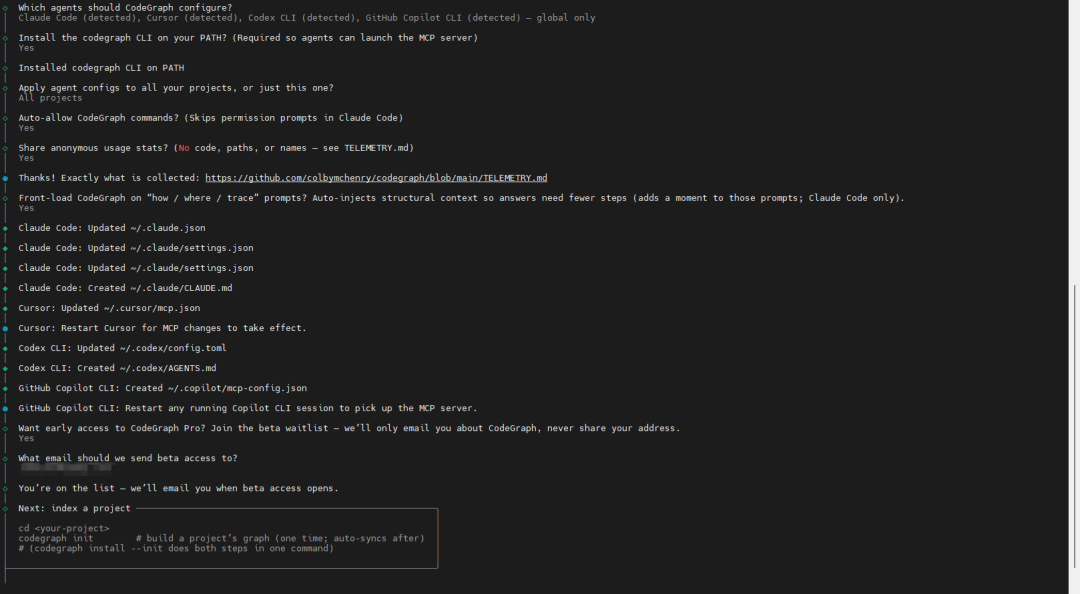
codegraph install
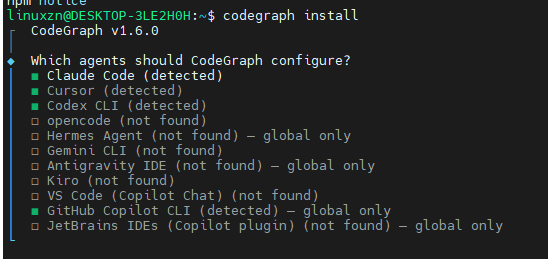
检测并自动配置 Claude Code、Cursor、Codex CLI、opencode、Hermes Agent、Gemini CLI、Antigravity IDE、Kiro 以及 GitHub Copilot(VS Code、Copilot CLI、JetBrains IDEs),并将 CodeGraph MCP 服务器接入每个工具。
2.3 在项目根目录建索引
cd your-project
codegraph init
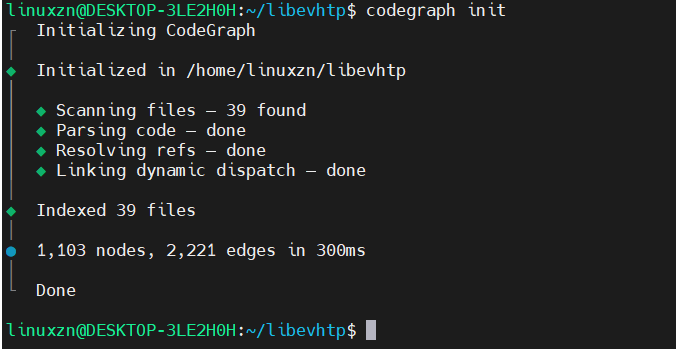
codegraph init 会创建本地的 .codegraph/ 目录,并在同一步骤中构建完整的图谱——一条命令,即可完成。
CodeGraph 会扫描代码库,解析结构,生成本地知识图谱(SQLite 数据库)。
配置好之后,我们的 AI 编程助手就可以直接查询图谱了。
2.4 常用指令
codegraph                          # Run interactive installer
codegraph install                  # Run installer (explicit)
codegraph uninstall                # Remove CodeGraph from your agents AND the CLI (--keep-cli for configs only)
codegraph init [path]              # Initialize a project + build its graph (one step)
codegraph uninit [path]            # Remove CodeGraph from a project (--force to skip prompt)
codegraph index [path]             # Full index (--force to re-index, --quiet for less output)
codegraph sync [path]              # Incremental update
codegraph status [path]            # Show statistics
codegraph unlock [path]            # Remove a stale lock file that's blocking indexing
codegraph query <search>           # Search symbols (--kind, --limit, --json)
codegraph explore <query>          # Relevant symbols' source + call paths in one shot (same output as the codegraph_explore MCP tool)
codegraph node <symbol|file>       # One symbol's source + callers, or read a file with line numbers (same output as codegraph_node)
codegraph files [path]             # Show file structure (--format, --filter, --max-depth, --json)
codegraph callers <symbol>         # Find what calls a function/method (--limit, --json)
codegraph callees <symbol>         # Find what a function/method calls (--limit, --json)
codegraph impact <symbol>          # Analyze what code is affected by changing a symbol (--depth, --json)
codegraph affected [files...]      # Find test files affected by changes (see below)
codegraph daemon                   # Manage background daemons — pick one to stop (alias: daemons)
codegraph telemetry [on|off]       # Show or change anonymous usage telemetry
codegraph upgrade [version]        # Update to the latest release (--check, --force)
codegraph version                  # Print the installed version (also -v, --version)
codegraph help [command]           # Show help, optionally for one command
3. 嵌入式的场景
3.1 影响分析
嵌入式开发里最怕的就是改出来的新问题。流程稍微完善一点的公司,出了这类事故往往还得写总结复盘。
使用方式如:
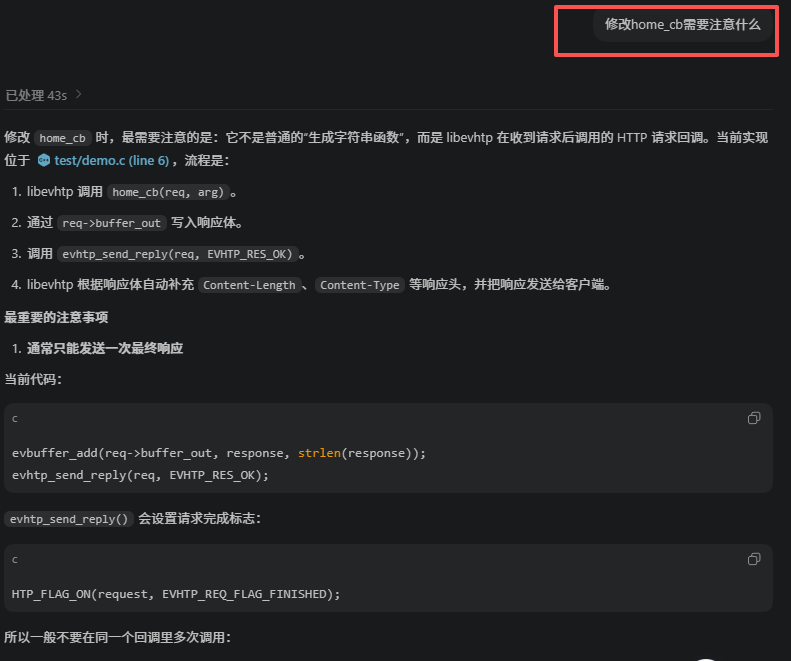
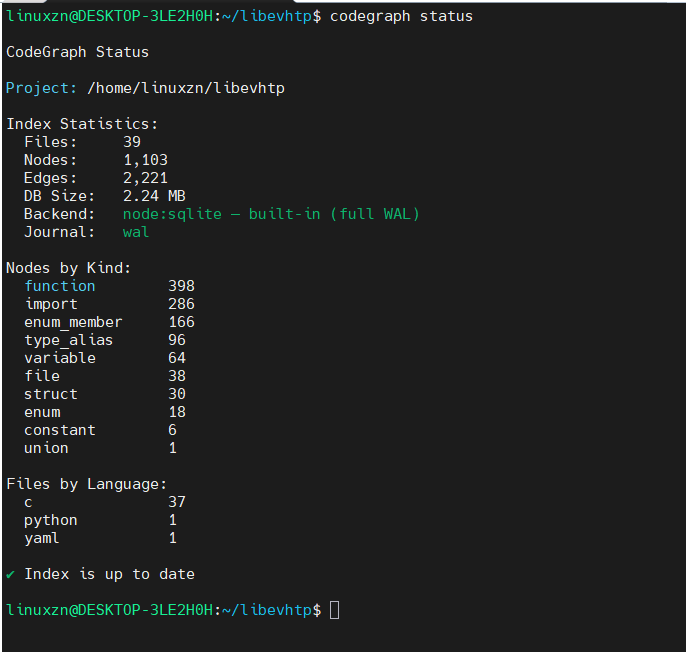
如何确认 codegraph 是否生效?
查看 codegraph 状态以及直接询问 AI 助手:
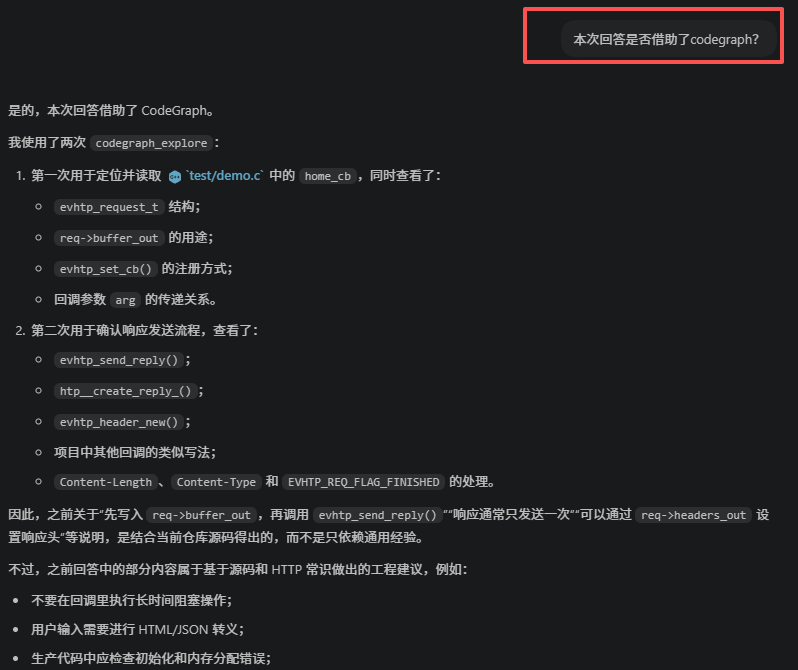
CodeGraph 的调用图和影响分析能力,可以在我们动手之前梳理清楚这些问题。
让 AI 执行修改代码之前,列出所有调用者和受影响的文件,它会查图谱给出完整链路,而不是靠全文搜索猜。
3.2 100% 本地运行
这一点对嵌入式行业来说尤其关键。
很多嵌入式公司的代码是不能上云的——军工、车规、医疗、工业控制,源码就是核心资产。
CodeGraph 全程本地运行:
本地解析、本地 SQLite 存储、无云端索引、无 API Key、无外部服务。代码一个字节都不会离开我们的机器。
对车规和功能安全团队还有个额外好处:图谱本身成了代码库的结构化快照,代码评审时让 AI 先跑一遍耦合度和复杂度热点分析,比人工过 diff 效率高得多。
3.3 C/C++ 类型感知
CodeGraph 支持 20 多种语言,C、C++ 都是主要支持的语言:
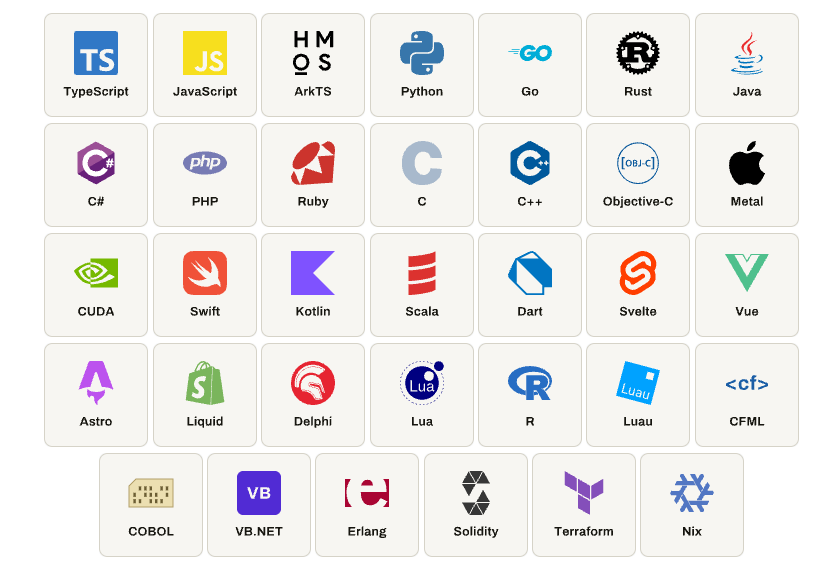
MCU 侧常见的汇编启动文件、嵌入式 Linux 侧常见的 shell 脚本和 Python 测试工具也都能索引。
宏、类型、函数签名能被正确解析,HAL_GPIO_WritePin 这种带参宏不会被误判成普通文本;EXPORT_SYMBOL_GPL 标记的内核函数、驱动里的 module_init / platform_driver_register 注册链路,也都能进入图谱被追溯。
对典型的分层架构:
无论是 MCU 的HAL → 驱动 → 中间件 → 应用,还是嵌入式 Linux 的内核 → 系统调用 → glibc/musl → 用户态应用。图谱都能自然呈现层次间的依赖关系,模块耦合、循环依赖一眼可见。
3.4 接手祖传代码
每个嵌入式团队都有一块没人敢动的东西:MCU 团队的祖传 BSP,Linux 团队里 nobody 敢碰的 vendor kernel fork。新人入职花两周读代码才能上手;老员工离职,知识直接蒸发。
CodeGraph 建好图谱之后,新人可以直接问 AI。例如:
这个项目的 UART2 接收流程是怎样的?从 ISR 到应用层回调,把调用链给我。(MCU)
这个触摸屏驱动的完整注册和 probe 流程是怎样的?从设备树匹配到 input 事件上报。(嵌入式 Linux)
AI 查图谱,几秒钟给出带代码片段的完整链路。
4. 提效到底提了多少?
CodeGraph 官方在几个开源仓库上做过基准测试:
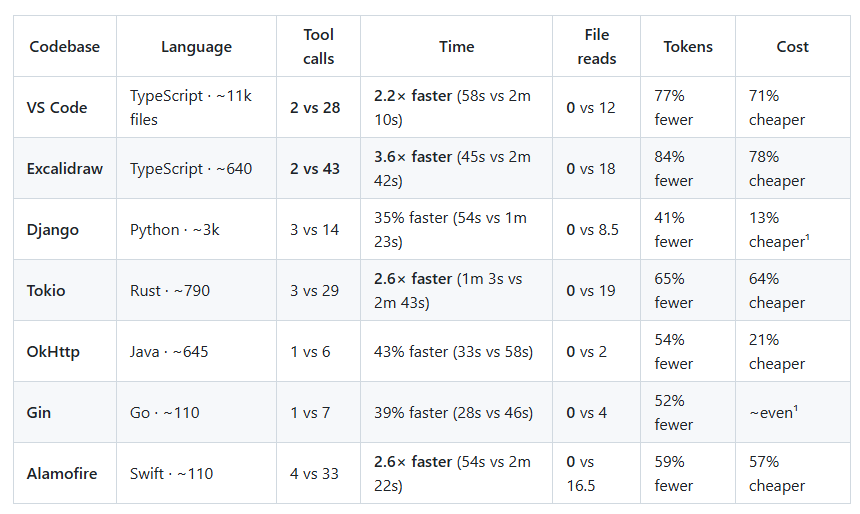
平均效果:
| 指标 |
改善幅度 |
| API 成本 |
降低约 35% |
| Token 消耗 |
减少约 57% |
| 执行时间 |
加快约 46% |
| 工具调用次数 |
减少约 71% |
而且仓库越大,收益越大。嵌入式项目的规模往往恰好就是大仓库这个档位——几十万行的 SDK、上百万行的 vendor kernel 并不罕见。
5. 总结
CodeGraph 这类工具的价值,就在于把其中最机械的一环——让 AI 找到代码、看懂结构,从每次对话的重复劳动,变成了一次性的基建投资。
如果你的团队正在用 AI 辅助开发嵌入式项目,而 token 账单和等待时间都在失控,不妨先别急着换模型,先给 AI 画张地图试试。若还想进一步压缩模型 API 开销,RouteFast.ai 这类中转服务也可以作为补充手段。你所在的团队用 AI 辅助嵌入式开发了吗?踩过哪些坑?欢迎到云栈社区分享你的实操经验。
 发表于 2 小时前
|
查看: 3|
回复: 0
发表于 2 小时前
|
查看: 3|
回复: 0

