本系列所有文章共用同一套示例数据模型——电商商品索引 products。
这一篇把索引、映射、分析器的基线一次性定下来,后面 8 篇都在这基础上做增量。

1. 为什么先聊映射
很多人上来就 POST /products/_doc 灌数据,Easysearch 用动态映射猜类型。猜错的代价是灾难性的:
| 现象 |
后果 |
日期字符串被猜成 text |
无法按时间范围查询、无法做时间聚合 |
商品编号 A-001 被猜成 text |
精确匹配要用 match,且排序/聚合失效 |
某个字段第一条数据是 null 之后变成数字 |
字段类型锁定为 null 兼容类型,后续写入全报错 |
字段类型一旦被写入,就改不了(除非 reindex)。所以生产索引的映射必须显式定义。
2. 核心字段类型:text vs keyword
在 Easysearch 的字段类型里,text vs keyword 是最容易搞混、也最影响性能的一对。
|
text |
keyword |
| 是否分词 |
是(走 analyzer) |
否,整串入库 |
| 适合查询 |
match(全文检索) |
term / terms(精确) |
| 能否排序/聚合 |
不能(需 fielddata,代价大) |
能(doc_values 天然支持) |
| 典型字段 |
商品名、描述、评论正文 |
ID、状态、标签、类目、邮箱 |
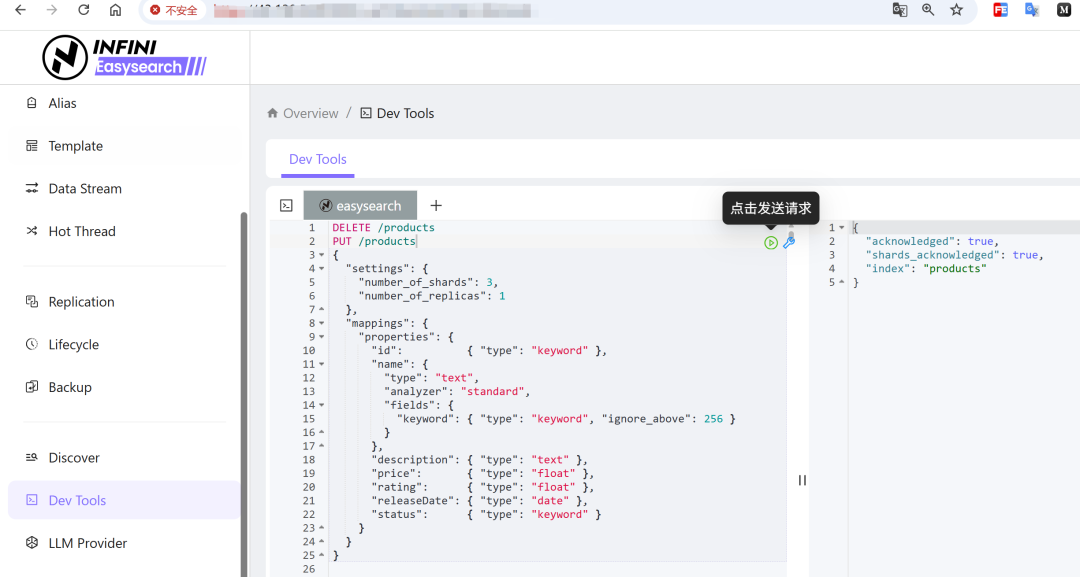
最佳实践:字符串字段同时建两种视图(multi-fields),一次索引,两种用途。
DELETE /products
PUT /products
{
  "settings": {
    "number_of_shards": 3,
    "number_of_replicas": 1
  },
  "mappings": {
    "properties": {
      "id":          { "type": "keyword" },
      "name": {
        "type": "text",
        "analyzer": "standard",
        "fields": {
          "keyword": { "type": "keyword", "ignore_above": 256 }
        }
      },
      "description": { "type": "text" },
      "price":       { "type": "float" },
      "rating":      { "type": "float" },
      "releaseDate": { "type": "date" },
      "status":      { "type": "keyword" }
    }
  }
}
name.keyword 用于按商品名排序、商品名精确去重聚合;name 用于搜游戏本。ignore_above: 256 表示超过 256 字符不建 keyword 索引,防止超长文本撑爆 doc_values。
3. 分片与副本:只定一次的量
{ "settings": { "number_of_shards": 3, "number_of_replicas": 1 } }
| 参数 |
能否后改 |
经验值 |
number_of_shards(主分片) |
不能 |
单分片控制在 10~50GB;节点数 × 1~2 起步 |
number_of_replicas(副本) |
能,随时 PUT 改 |
生产至少 1;读多写少可到 2~3 |
硬规则:主分片数在索引创建时固化。宁可少不宜多——小分片过多会压垮 master 节点和堆内存。
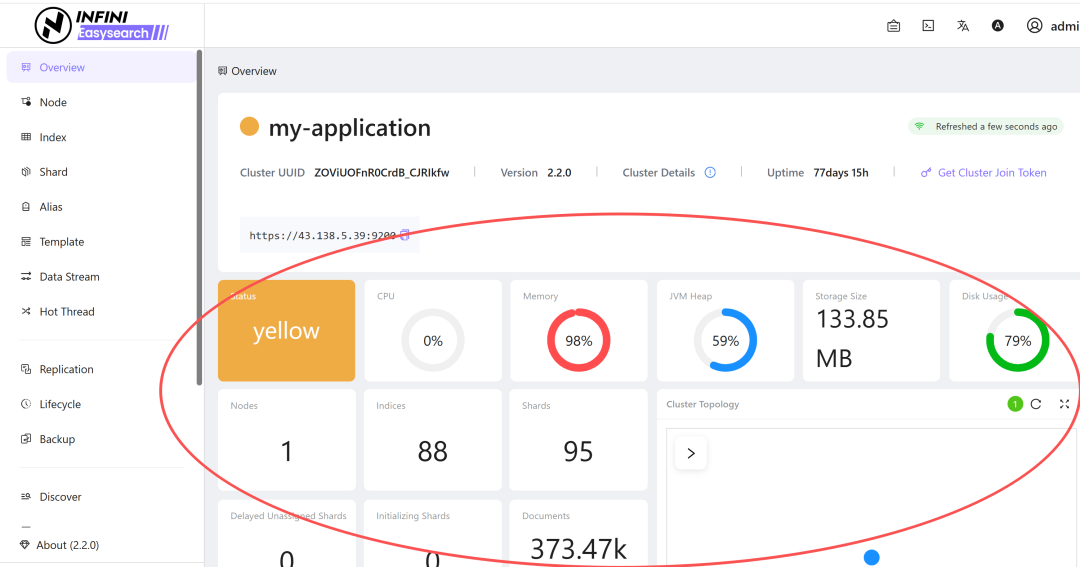
Easysearch 单节点测试环境集群状态通常是 yellow(副本分配不出去),属正常;生产至少 3 节点才会转 green。
4. 动态映射:建议关掉或收紧
"mappings": {
  "dynamic": "strict",
  "properties": { }
}
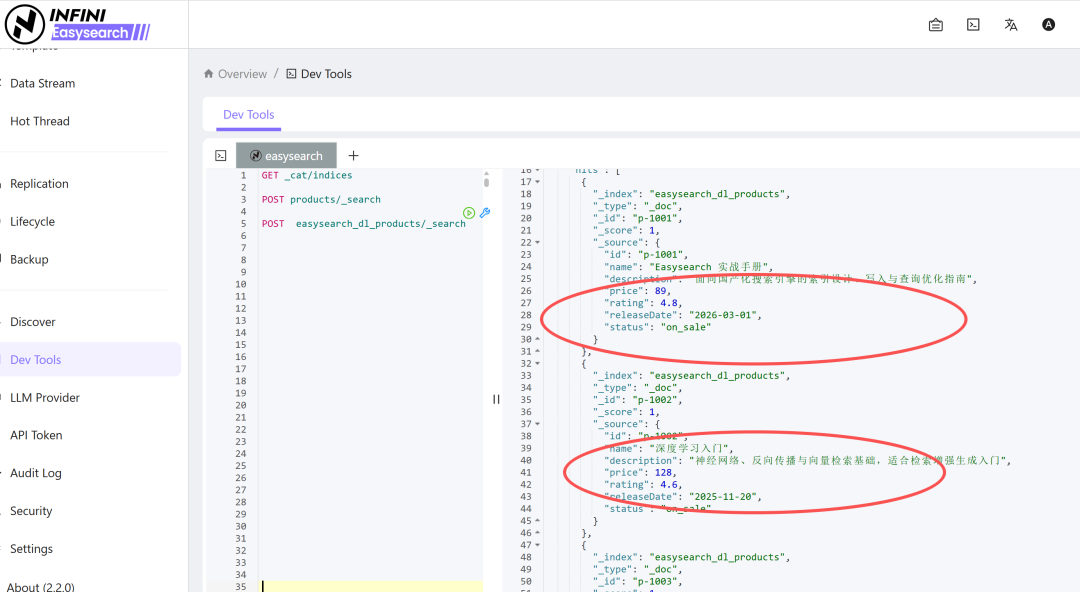
dynamic: strict 表示映射里没定义的字段直接拒绝写入。
前期开发可以设 false(仅忽略未知字段),上生产前一定要收成 strict,避免一个脏文档污染整个索引。
5. Python 连接封装与建索引
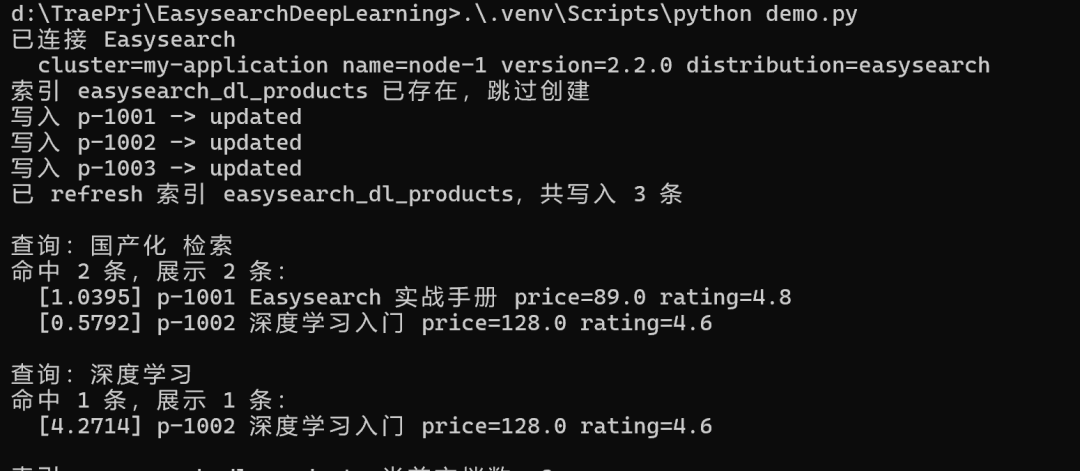
# easysearch_client.py —— 全系列共用的客户端封装
import os
from elasticsearch import Elasticsearch

def get_client() -> Elasticsearch:
    """连接 Easysearch 集群。

    Easysearch 默认启用 TLS + 认证,兼容 ES 7.x REST API,
    这里声明 api_version 让 8.x 客户端按 7.x 协议通信。
    """
    hosts = os.getenv("EASYSEARCH_HOSTS", "https://localhost:9200").split(",")
    user = os.getenv("EASYSEARCH_USER", "admin")
    password = os.getenv("EASYSEARCH_PASSWORD", "admin")

    return Elasticsearch(
        hosts,
        basic_auth=(user, password),
        verify_certs=False,        # 自签证书环境;配好 CA 后生产建议置为 True
        ssl_show_warn=False,
        request_timeout=30,
        api_version=(7, 10, 2),    # 与 Easysearch 兼容的 ES 7.x 协议对齐
    )

INDEX = "products"
# create_index.py
from easysearch_client import get_client, INDEX

PRODUCT_MAPPING = {
    "settings": {
        "number_of_shards": 3,
        "number_of_replicas": 1,
    },
    "mappings": {
        "dynamic": "strict",
        "properties": {
            "id":          {"type": "keyword"},
            "name": {
                "type": "text",
                "analyzer": "standard",
                "fields": {
                    "keyword": {"type": "keyword", "ignore_above": 256}
                },
            },
            "description": {"type": "text"},
            "price":       {"type": "float"},
            "rating":      {"type": "float"},
            "releaseDate": {"type": "date"},
            "status":      {"type": "keyword"},
        },
    },
}

def create_index(client, index: str = INDEX) -> None:
    """幂等创建索引:已存在则跳过。"""
    if client.indices.exists(index=index):
        print(f"索引 {index} 已存在,跳过创建")
        return

    client.indices.create(index=index, body=PRODUCT_MAPPING)
    print(f"索引 {index} 创建成功")

if __name__ == "__main__":
    es = get_client()
    create_index(es)
6. 自检清单
- [ 1] 所有 ID / 枚举 / 标签字段是
keyword
- [ 2] 需要全文检索的字段是
text,并考虑补 .keyword 子字段
- [ 3] 日期 / 数值字段类型正确(否则 range 查询和聚合会失效)
- [ 4]
number_of_shards 已按数据量估算并固化
- [ 5] 生产索引的
dynamic 为 strict
- [ 6] 已通过内置 Web UI 管理后台或
GET _cluster/health 确认集群状态
 发表于 12 小时前
|
查看: 3|
回复: 0
发表于 12 小时前
|
查看: 3|
回复: 0

